National UJALA Dashboard2.1
Publisher Description
Unnat Jeevan by Affordable LEDs and Appliances for All (UJALA) was launched by Prime Minister of India Narendra Modi on 1 May 2015, replacing the "Bachat Lamp Yojana". Within 1 year of its launch, 9 crore LED bulbs were sold in the country, reducing their electricity bills by ₹55 billion (US$820 million).
The scheme was announced as "Domestic Efficient Lighting Programme (DELP)" on 5 January 2015, urging the people to use LED bulbs in place of incandescent bulbs, tube lights and CFL bulbs as they are more efficient, long lasting and economical in their life cycle duration.
The government's target is to replace 77 crore incandescent bulbs in India with LEDs by 2019 leading to an expected reduction in installed load of 20,000 MW with an annual estimated savings of over 100 million kwh and an annual reduction of ₹400 billion (US$5.9 billion) in electricity bills.
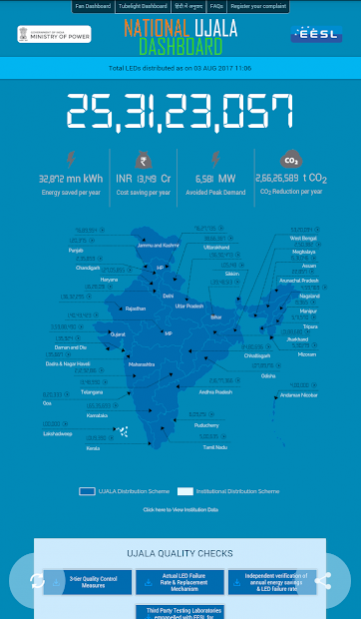
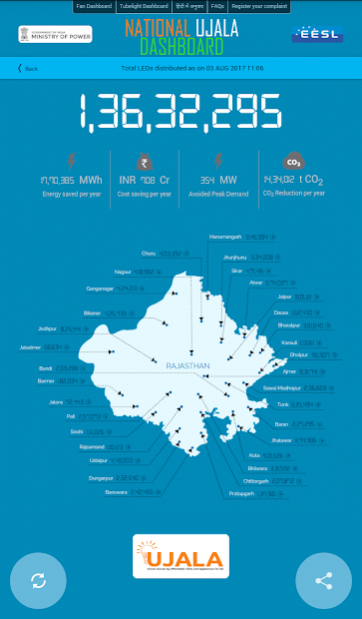
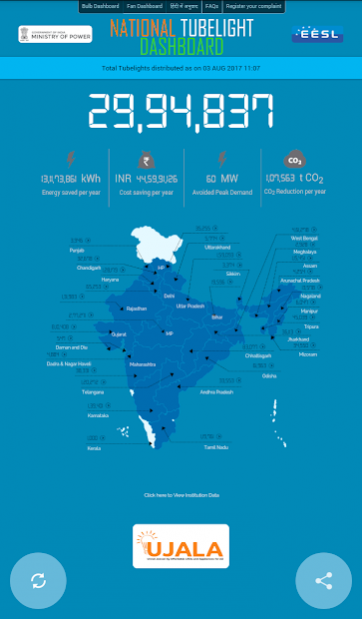
This mobile App provides real time updates on the LED distribution happening across the country under this scheme. You can also view the detailed distribution counts for each state, kiosk locations in your area and much more !
About National UJALA Dashboard
The company that develops National UJALA Dashboard is Energy Efficiency Services Ltd. The latest version released by its developer is 2.1.
To install National UJALA Dashboard on your Android device, just click the green Continue To App button above to start the installation process. The app is listed on our website since 2017-08-03 and was downloaded 10 times. We have already checked if the download link is safe, however for your own protection we recommend that you scan the downloaded app with your antivirus. Your antivirus may detect the National UJALA Dashboard as malware as malware if the download link to com.cxb.ujala is broken.
How to install National UJALA Dashboard on your Android device:
- Click on the Continue To App button on our website. This will redirect you to Google Play.
- Once the National UJALA Dashboard is shown in the Google Play listing of your Android device, you can start its download and installation. Tap on the Install button located below the search bar and to the right of the app icon.
- A pop-up window with the permissions required by National UJALA Dashboard will be shown. Click on Accept to continue the process.
- National UJALA Dashboard will be downloaded onto your device, displaying a progress. Once the download completes, the installation will start and you'll get a notification after the installation is finished.
Program Details
System requirements
Download information
Pricing
Version History
version 2.1
posted on 2017-08-03
Minor fixes and enhancements to ease user experience
